
CMD PALETTE
macOS menu bar appI kept copy-pasting the same terminal commands. Git incantations, dev server starts, that one process kill command I google every single time. So I built a menu bar app that just... has them.
Then I added my projects. Now I click a folder and I'm running a dev server with localhost open. No cd-ing around. No remembering port numbers.
This is that app.
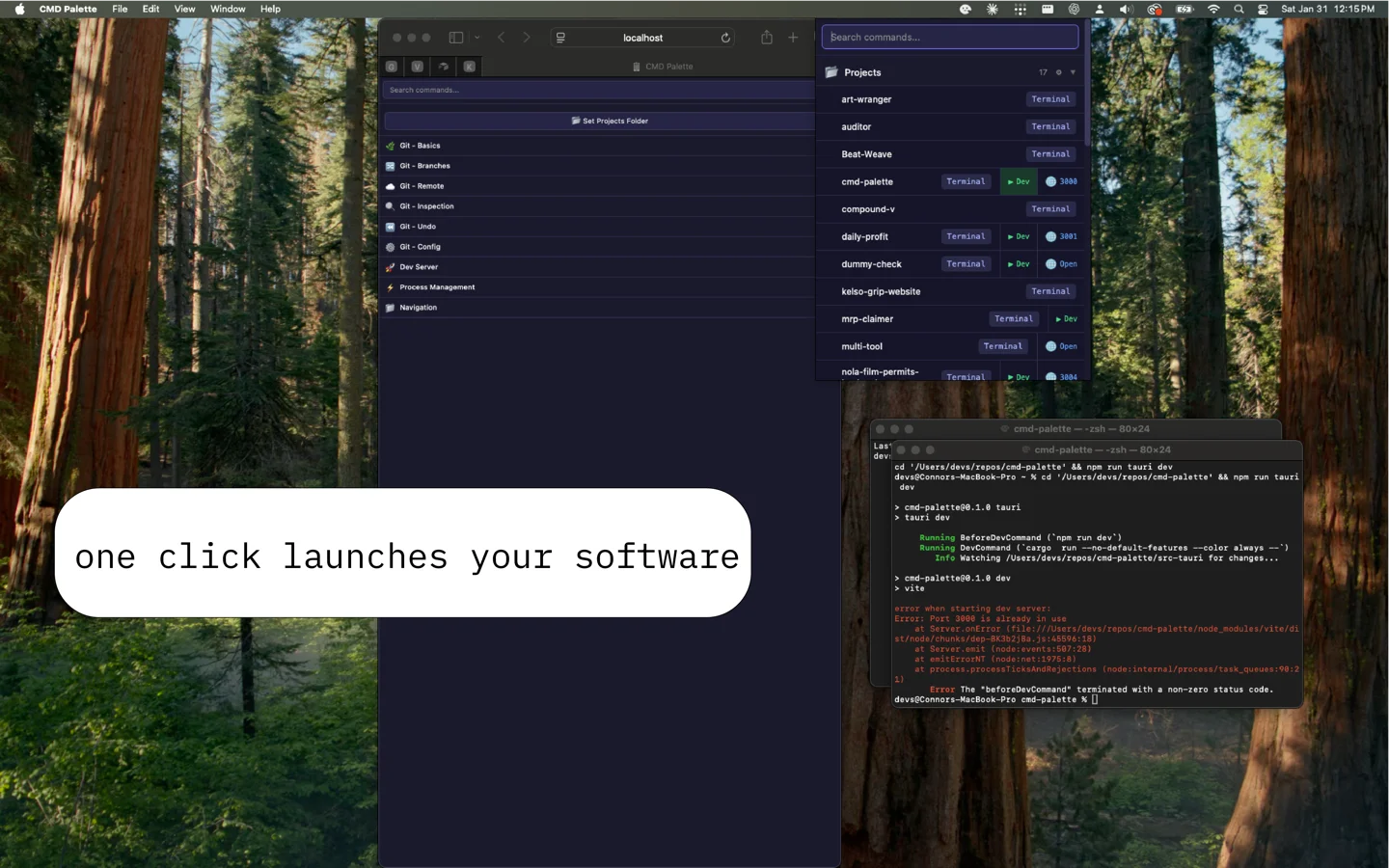
Your projects, one click away.
Point CMD Palette at your repos folder and every project appears instantly. Open a terminal, launch the dev server, or jump to localhost — all from your menu bar.
Every command you keep forgetting.
Git commands, process management, dev server shortcuts — searchable and organized. Click to copy. Stop googling "git undo last commit" for the hundredth time.
Keyboard-first.
Cmd+Shift+< opens the palette from anywhere. Arrow keys navigate, left/right picks an action, Enter executes. Mouse optional.
One-click dev environments.
Drop a .cmdpalette.json in any project to define your dev command and localhost URL. Hit "Dev" — server starts, browser opens, you're coding.
Lightweight and native.
Built with Tauri. Lives in your menu bar. ~20MB memory. No Electron bloat, no browser tabs, no subscriptions.
- Menu bar app for macOS
- Global hotkey access
- Project launcher with dev server detection
- Auto-opens localhost in browser
- Searchable command reference
- Keyboard navigable
- Per-project .cmdpalette.json config
- Built with Tauri + Svelte
No sign-up, no paywall. Just a little challenge — or a little generosity.
Crack the code
Play a round of Mastermind. Guess the 4-digit code and the download unlocks. Takes a few minutes if you're sharp.
Leave a tip
Skip the puzzle — drop $3 and download right away. That's it. No subscription, no account.
Tip $3cmd-palette
macOS · Universal binary · Requires macOS 13+
Install
- Open the DMG file
- Drag CMD Palette to your Applications folder
- Launch it from Applications — you'll see a small icon in your menu bar
Set Up Your Projects
- Click the CMD Palette icon in your menu bar to open the palette
- You'll see a Set Projects Folder button at the top — click it
- A folder picker will open — navigate to the folder where you keep your coding projects (e.g.
~/repos) - CMD Palette will scan that folder and list every subdirectory as a project
Launch a Project
Each project in the list has up to three actions:
- Terminal — Opens a new Terminal.app window at the project directory
- Dev — Starts the dev server (detected automatically, or configured via
.cmdpalette.json) - Browser — Opens the project's localhost URL in your default browser
Click any action directly, or use keyboard navigation:
- Press
Cmd+Shift+<to open the palette from anywhere Arrow Down/Upto highlight a projectArrow Left/Rightto switch between Terminal, Dev, and Browser- Press
Enterto execute
If a project has a .cmdpalette.json file in its root, CMD Palette will use it for the dev command and URL:
{
  "dev": "npm run dev",
  "url": "http://localhost:3000"
}
Without a config file, CMD Palette auto-detects the dev command from your project files (package.json, Cargo.toml, etc.). Static HTML projects with an index.html get a one-click browser open.
Copy Commands
CMD Palette includes a searchable library of common dev commands (git, npm, process management, etc.).
- Click a category to expand it, or just start typing in the search bar to filter
- Click any command to copy it to your clipboard
- Paste it into your terminal
A green checkmark confirms the copy. Search works across command names, descriptions, and the actual command text.
Keyboard Shortcuts
| Key | Action |
|---|---|
Cmd+Shift+< | Open/close palette from anywhere |
Arrow Down/Up | Navigate items |
Arrow Left/Right | Switch project action (Terminal / Dev / Browser) |
Enter | Execute selected item |
Escape | Clear search |
Type anything | Filter commands and projects |
Env Sync
Manage .env files across projects without the mess.
Coming SoonPort Scout
See what's running on every port. Kill with one click.
Coming SoonSnip Shelf
Drag-and-drop code snippet manager for your menu bar.
Coming Soon